Everything your funeral organisation needs. One platform.
Manage members, contributions, policies, claims and payments in one connected platform, built for South African burial societies and funeral policy companies.
Most funeral organisations run on a register, a spreadsheet and a WhatsApp group. It works, until a payment is disputed, a treasurer moves on, or a family is waiting on a claim.
The usual way
On Burial Desk
The usual way: Payments written in a book only the treasurer holds
On Burial Desk: Every payment recorded once, with each member's history to hand
The usual way: Arrears worked out by hand at month end
On Burial Desk: What each member owes, and their good standing, recalculated every night
The usual way: Attendance on paper, and fines argued over afterwards
On Burial Desk: Attendance by QR code, and fines recorded at the meeting
The usual way: Premiums matched to the bank statement line by line
On Burial Desk: Import the statement and confirm the policy suggested for each payment
The usual way: Claims held up by missing documents and unclear rules
On Burial Desk: Documents attached to the claim, and eligibility checked when it is filed
The usual way: Records that leave when an office-bearer does
On Burial Desk: Records that stay with the organisation, behind role-based access
See the product
The whole operation, in the app you will actually use
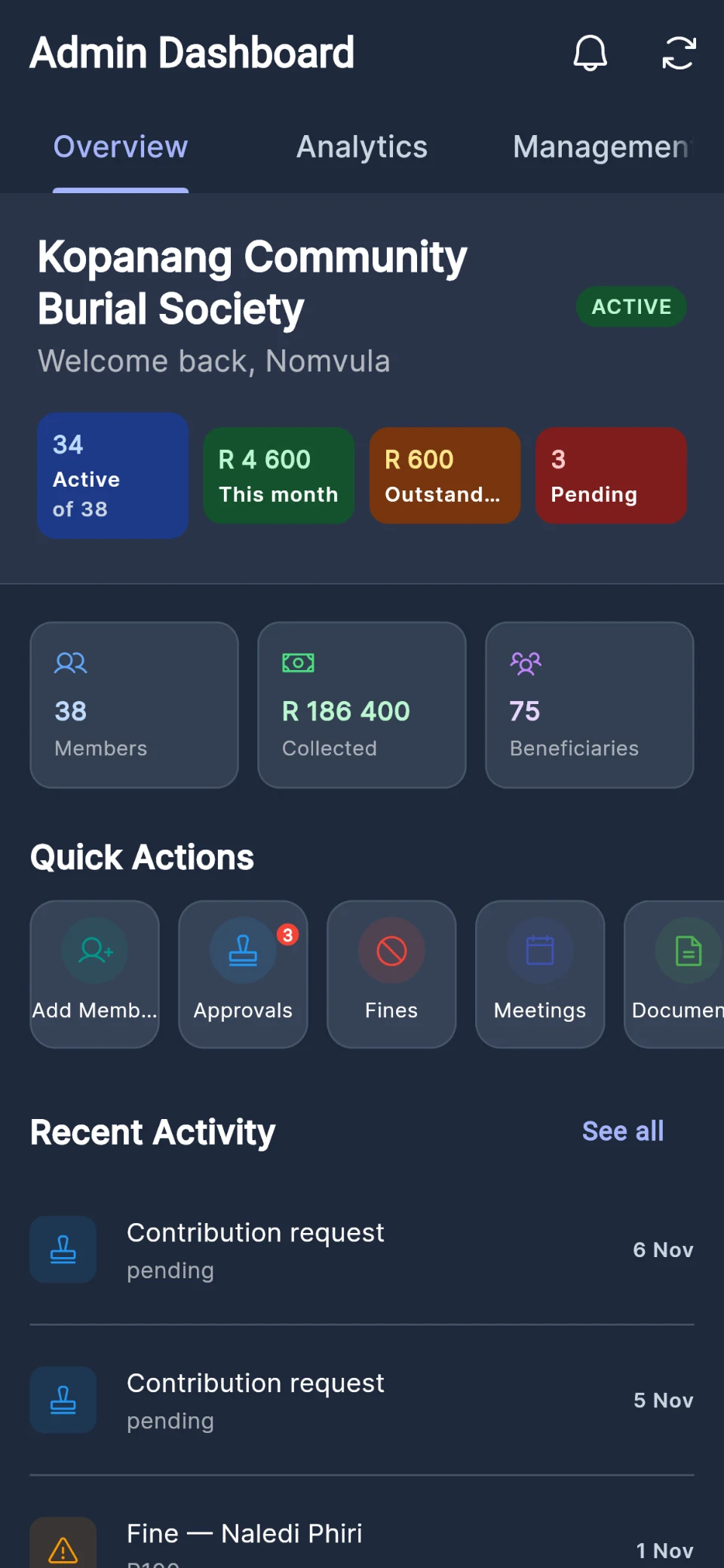
These are screens from Burial Desk itself, shown with sample data.
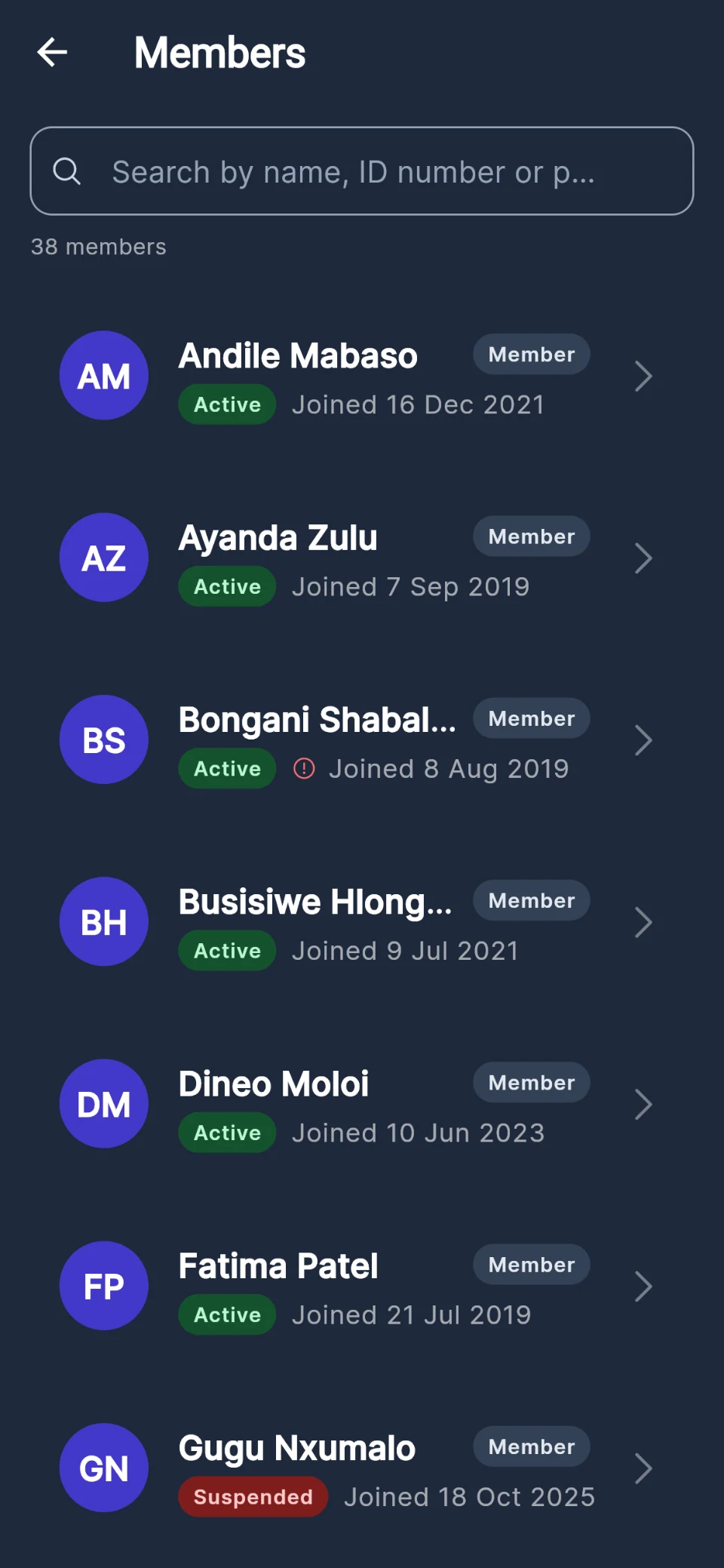
A register that keeps itself current
Every member and their beneficiaries in one place. Members join with a code you give them, and anyone out of good standing is flagged in the register.
Profiles, families and beneficiaries
Join codes, so members sign up and keep their own details current
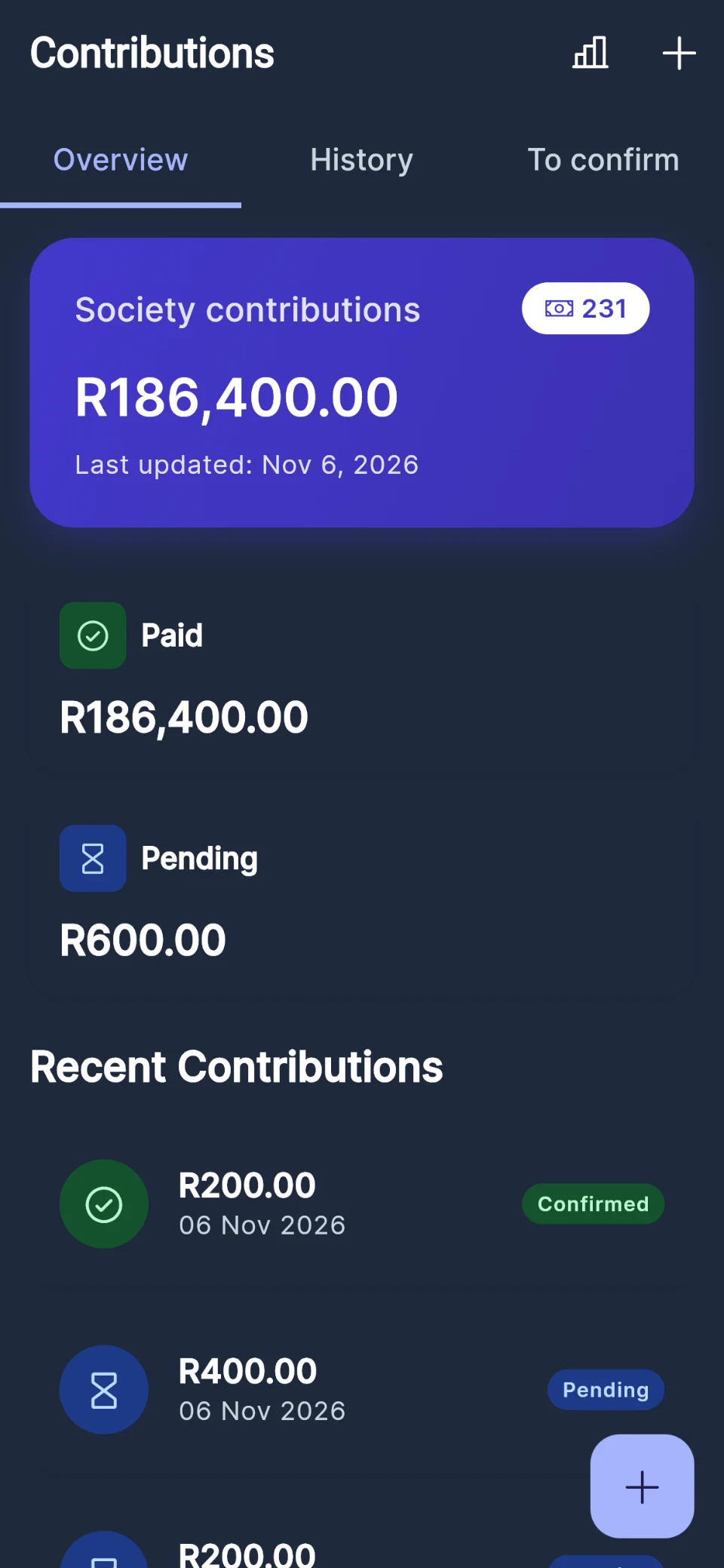
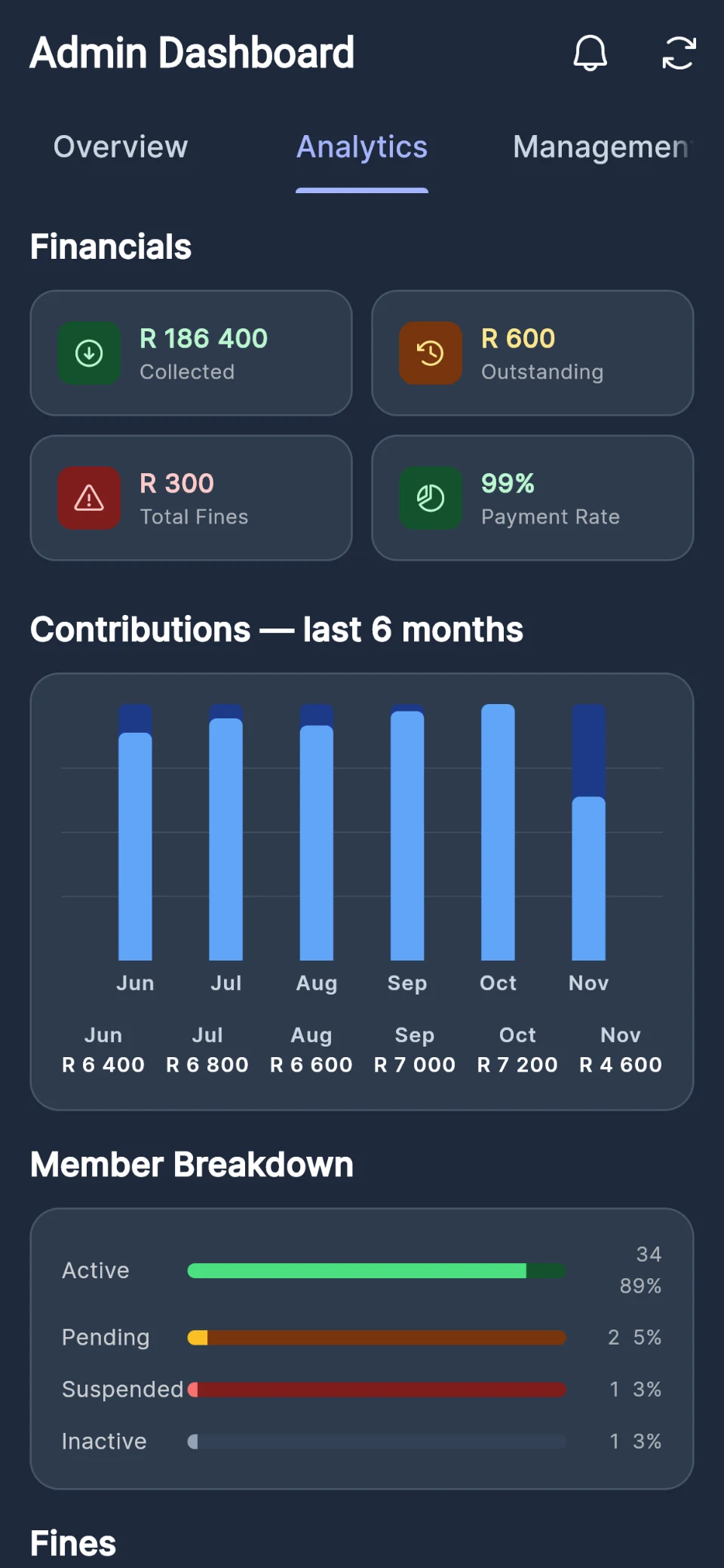
Record each payment once and Burial Desk works out what every member owes. Members see their own history, so the treasurer stops answering the same question every month.
Cash, bank transfer or mobile money, recorded per member
Members send proof of payment with a photo of the slip, for the treasurer to confirm
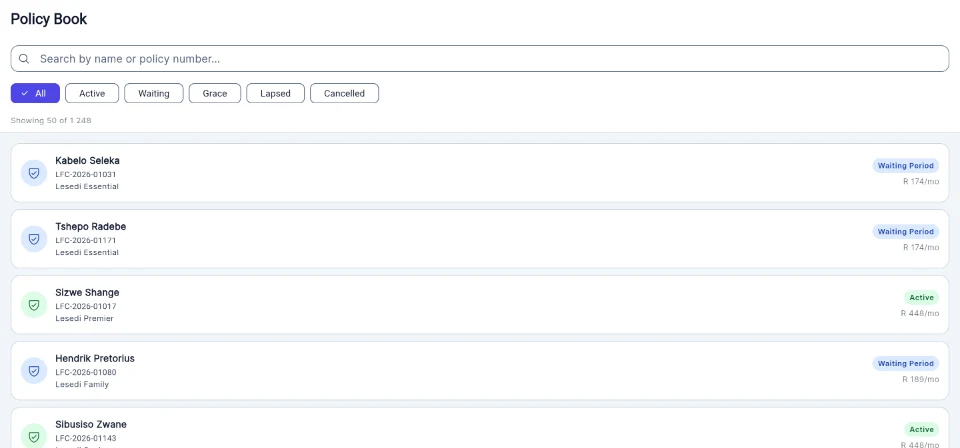
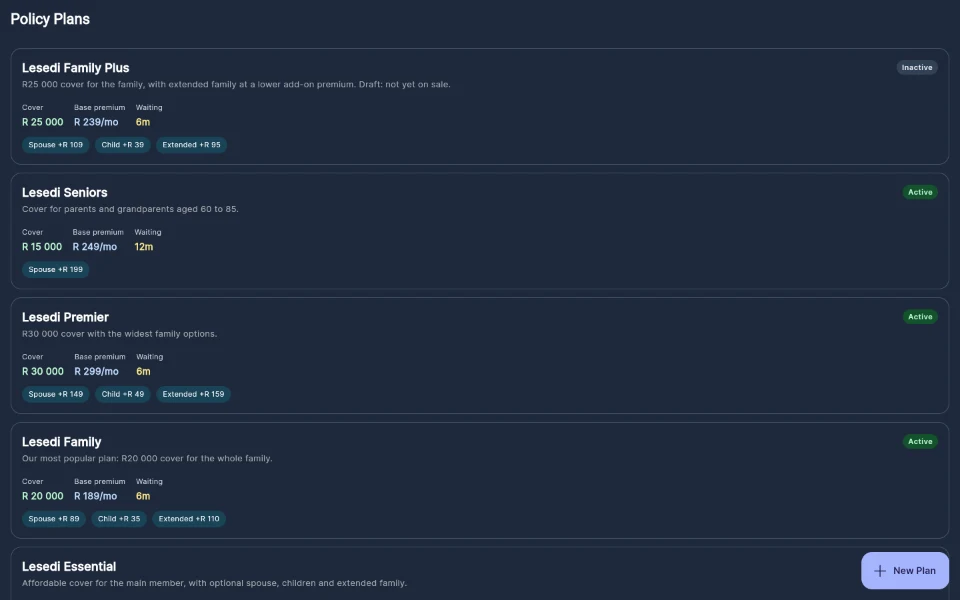
Configure each product's cover, premiums, waiting period and grace period, then follow every policy through its life, from enrolment to lapse or reinstatement.
Products with cover amounts, premiums, waiting and grace periods
Covered lives: spouse, children and extended family
A policy book you can search, filter and report on
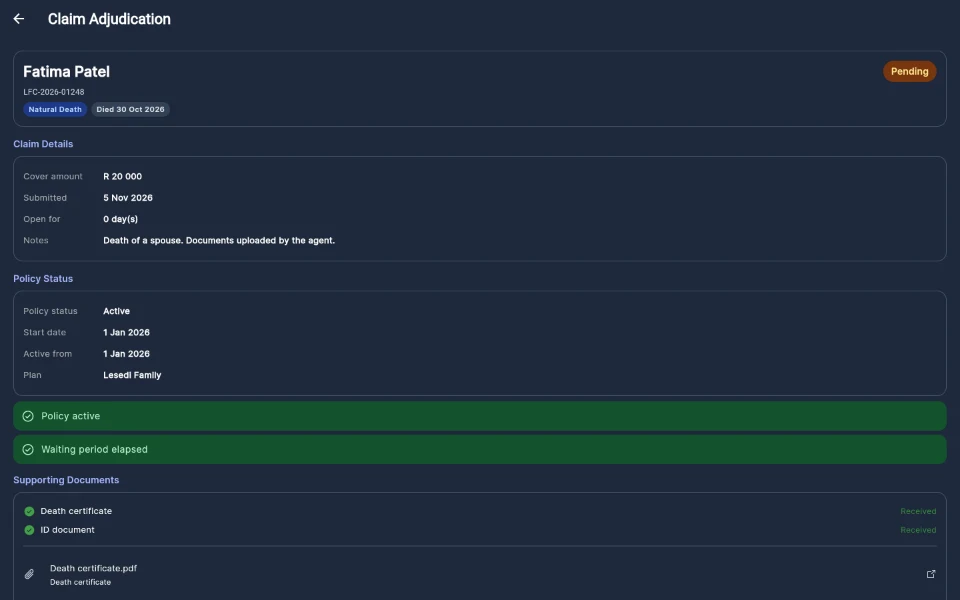
A claim is checked against the policy when it is filed, its documents are attached, and the decision is recorded with notes. Every approval and the outcome stay on the record.
Checks when a claim is filed: waiting period, policy status, duplicate pending claims
Documents attached to the claim, and no approval without a death certificate
Approve or reject with notes, and approval chains for larger claims with Claims Management Pro
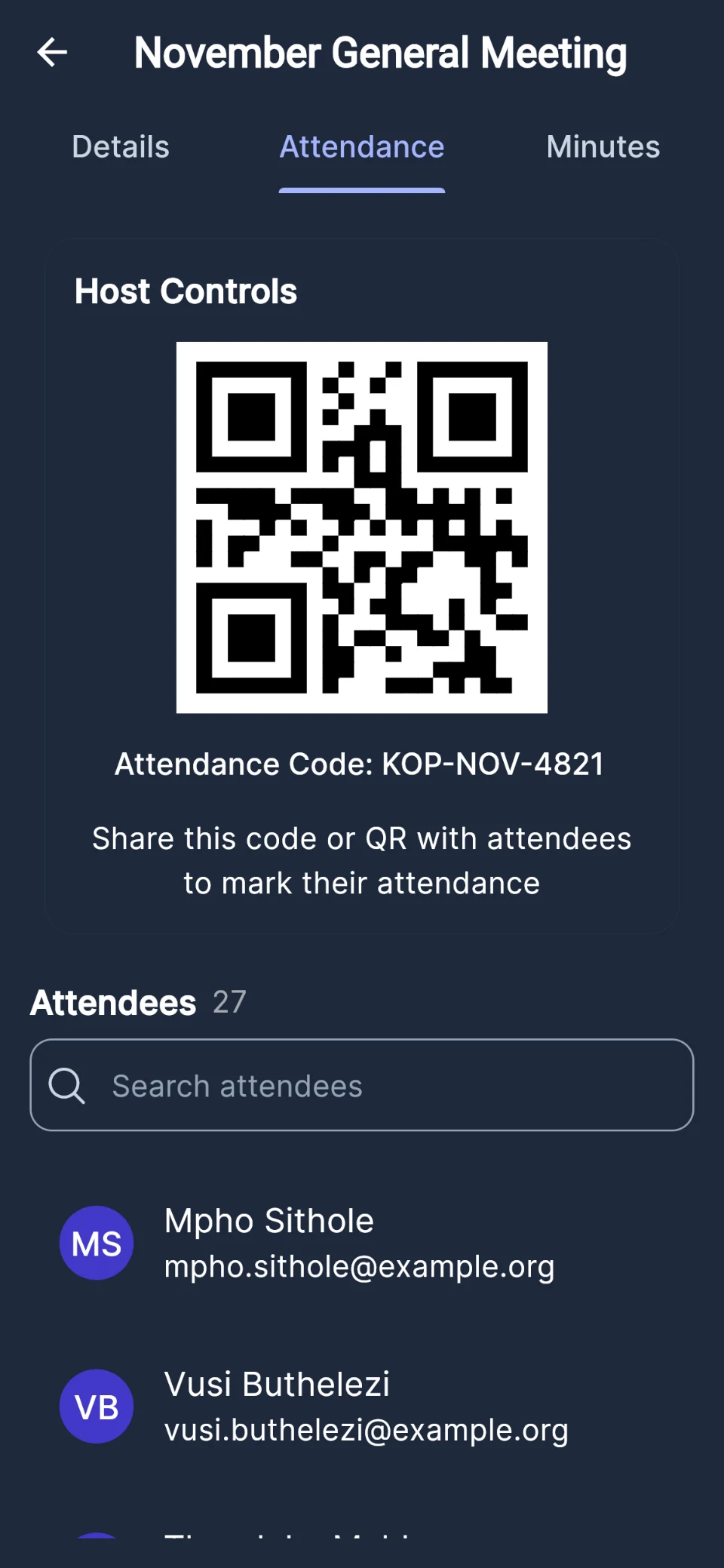
Scan each member's membership-card QR code at the door, or let members check in with the meeting's code. Hosts record fines on the spot, and minutes stay with the meeting.
Attendance by membership-card QR code or check-in code
From the first notice to the payout, every claim follows the same path
Families are waiting when a claim comes in. Burial Desk keeps it moving and keeps it fair: the same checks, the same approvals, the same record, every time. A claim's status changes only through these steps, never by hand.
01
Filed and checked
The claim records who died, the date and the cause of death. The waiting period for that cause, the policy's status and any pending claim for the same person are checked as it is filed.
02
Documents on file
The death certificate and ID document are attached and stored privately. No claim can be approved without a death certificate.
03
Decided, with a record
Every decision carries notes, and every rejection a reason. Larger claims can need more than one approval before they pass.
04
Paid in a payout run
Approved claims are grouped into a run and exported as one payment file for your bank, then marked paid together. A claim cannot be paid twice.
Approval chains, bulk adjudication and payout runs are part of Claims Management Pro. Burial Desk prepares the payment file; your bank makes the payment.
Why Burial Desk
Made for the way South African funeral organisations run
Designed for South Africa
Rand pricing, South African ID number checks, PayFast and EFT, and the language societies and insurers already use.
One operational record
Members, money, meetings, policies and claims in one system, instead of a register, a spreadsheet and a chat group.
Financial transparency
Every contribution and premium on the record, and members able to check their own history.
Structured claims
The same checks and approvals for every claim, with the reasons kept on file.
On the phones people have
An Android app and a web app, so members and staff can use Burial Desk wherever they are.
Room to grow
From a 30-member society to a provider with a national book, on plans that grow with you.
Trust and security
Built for organisations that look after other people's money
Members trust you with their families' details and their monthly contributions. Burial Desk is built so that trust is easy to keep.
Permissions are enforced in the database itself, not only hidden in the app.
Protected staff access
The Burial Desk staff console asks for a code from an authenticator app as well as a password.
An audit trail
Changes to policies, premium payments and claims are recorded with who made them, when and what changed.
Identity checks
South African ID numbers are checked when staff add a member and when a policyholder signs up or enrols, and policy companies can record when a staff-enrolled policyholder's identity has been verified.
Data protection
Encrypted connections, and POPIA roles set out plainly: you are the responsible party, we are your operator.
Clear responsibilities
Burial Desk is software, not an insurer. Your licensing and compliance stay yours, supported by the platform.
How it works
Up and running without a project plan
Burial societies
Create your society
Sign up online and set up your society's details and contribution amounts.
Bring in your members
Give members a join code, add them yourself, or import your member list from a spreadsheet.
Run the society from one place
Record contributions, hold meetings, lodge claims and share reports with the committee.
No per-claim fees, and no cut of what your members pay. Society plans, and the starting price of every policy company tier, are published here; Corporate and Enterprise are quoted.
Burial Desk is administration software for South African burial societies and funeral policy companies. It keeps members or policyholders, contributions or premiums, beneficiaries, claims and reporting in one place, with an app for the people you serve.
Is Burial Desk an insurer or a financial services provider?
No. Burial Desk is a software provider only. It is not an insurer, underwriter, financial services provider or intermediary, and it does not give financial advice. Funeral policy companies that use Burial Desk remain responsible for their own licensing and regulatory compliance, including FAIS and FSCA requirements, product approval and policy wording.
Which devices does it work on?
Burial Desk runs in any modern web browser on a computer, tablet or phone, and as an Android app from Google Play. On an iPhone, use Burial Desk in Safari; there is no App Store app at the moment.